D&D campaign manager
Running a campaign means keeping about six things in sync: what happened, who the party knows, where they are, what they are carrying, when you are next playing, and what you are planning. Most groups solve each of those separately, and the cost is not any one tool — it is the six tabs and the fact that none of them know about each other.
Dungeon Ledger puts them in one campaign. The notes are the centre of it, and the maps, sessions, compendium, inventory and soundboard hang off the same shared world rather than sitting in unrelated apps.
Free for up to six campaigns as a DM. Players join as many as they like.
The centre
Notes everything else attaches to
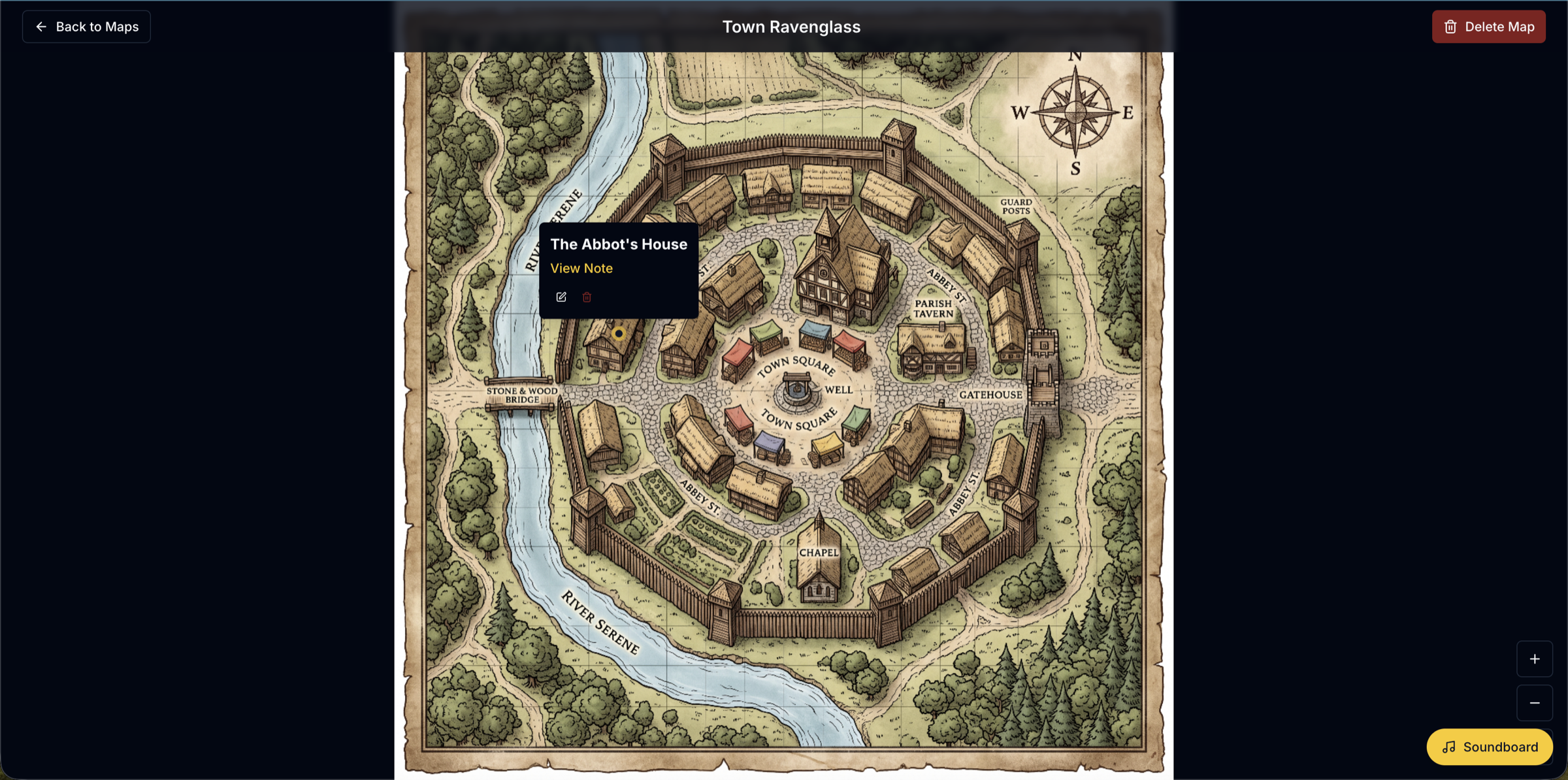
Every campaign is built out of notes with types — player, NPC, location, quest, session, secret — that link to each other by typing [[. A map pin points at the note describing the place. A session log links the NPCs who appeared in it. The quest log is simply the quest-type notes, split by whether they are done.
Each note carries its own visibility, so the DM’s planning and the party’s shared record live in one campaign instead of two documents that drift apart. Reading and editing are separate settings, which is what makes a group-maintained party inventory or a shared session log workable.
The graph view draws the whole thing as connected nodes you can filter and search — the fastest way to answer "how does this connect to anything?" several months in.
Reference
Every feature, and where it lives
| Feature | What it does | Read more |
|---|---|---|
| Maps | Upload a map image, drop pins, link each pin to the note describing that place. | Wiki & linking |
| Calendar | Sessions as scheduled objects, so the log of what happened stays attached to the session it belongs to. | Session notes |
| Compendium | SRD monsters, spells, races and classes, plus your own homebrew, all in the same reference your notes link to. | Condition reference |
| Soundboard | The DM queues music once; every player’s browser follows the same clock instead of drifting apart. | Watch2Gether-style sync |
| Dice | Standard notation, advantage/disadvantage, and the same roller the free public tool uses. | Free dice roller |
The table
What runs during a session
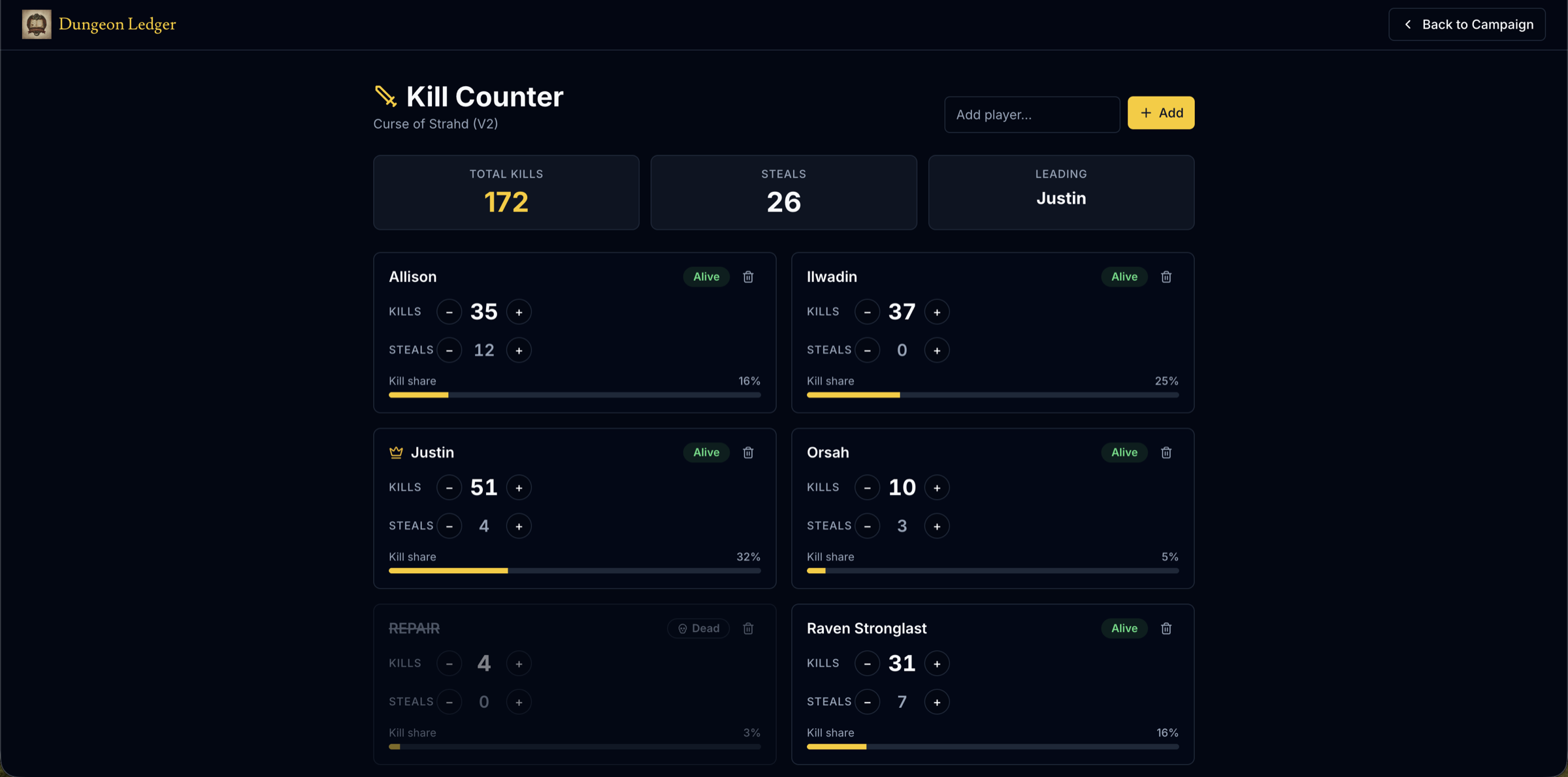
Maps upload with pins you place and link back to notes. A dice roller. A shared inventory and a kill counter that update live on every screen at once. Playable puzzles — riddles, ciphers, code locks, logic gates and more — that you hand to the party and they solve in their own browsers.
The soundboard is a genuine shared player: the DM presses play and every player’s browser follows the same clock, rather than everyone starting a track at slightly different times. Players get a mute button and nothing else to break.
Presence shows who is in the campaign and, optionally, who is looking at the note you are looking at.
Prep
Between sessions
Sessions are scheduled objects on a shared calendar, so the log of what happened stays attached to the session it belongs to instead of floating loose in a folder.
The compendium holds monsters with full stat blocks, spells, races and classes from the 5e SRD, plus anything you write yourself — so homebrew and reference sit in the same place your notes link to.
A DM toolkit generates NPCs, taverns, quest hooks and balanced encounters, and the Living Book answers questions about your own campaign from your own notes — strictly the ones the asker is allowed to read, enforced on the server rather than trusted to the model.
Practicalities
What it costs and what happens to your data
It is free: six campaigns as a DM, unlimited as a player, unlimited notes and players. The only metered thing is AI, on a monthly credit allowance, because model calls cost real money per use.
Notes export as Markdown, per note or a whole campaign, so a campaign is not hostage to the tool. Analytics counts which pages get opened and nothing else — the contents of your campaign are never measured, and you can decline it outright.
It runs in any browser and installs to a phone as an app. There is nothing for your players to download.
Questions about running a campaign
- What does a campaign manager do that a notes app does not?
- It knows the parts of a campaign are related. A map pin points at a note; a session log links the NPCs in it; the quest log is generated from quest-type notes. A general notes app can hold all the same text but cannot connect a place to the encounter that happened there, or show you the whole thing as a map.
- Is Dungeon Ledger free?
- Yes — six campaigns as a DM, unlimited as a player, no card and no trial clock. AI features draw on a monthly credit allowance because each one is a paid model call; everything that is not AI is unmetered.
- Does it replace a virtual tabletop like Roll20 or Foundry?
- No, and it is not trying to. There is no grid, no tokens and no combat automation. It is what you keep alongside a VTT, or alongside a physical table — the record of the campaign rather than the surface you fight on.
- Can my players add things themselves?
- Yes, and that is the point. Players write their own notes, and any note can be opened for editing by the whole table, by named people, or kept to its author. A party inventory or a group-maintained NPC list works without the DM transcribing anything.
- What happens to my campaign if I stop using it?
- Export it. Notes come out as Markdown with front matter, per note or as one file for the whole campaign, built from the notes you are permitted to see.
Everything in one place before session one
Create the campaign, seed it with a worked example, and invite the table when you are ready.
Set up your campaign